The Quick Access Toolbar is a set of frequently used functions, which is located at the left side of the title bar. You can customize this toolbar.
|

How to customize the Quick Access Toolbar?
➢Click on the Menu FILE, group "Options"
➢Select "Customize Quick Access Toolbar".
|
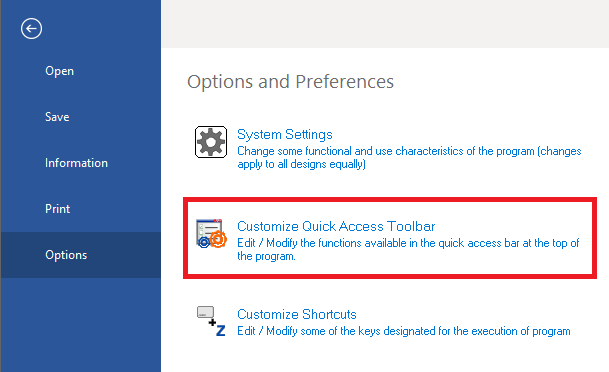
The Shortcuts box will open.
|
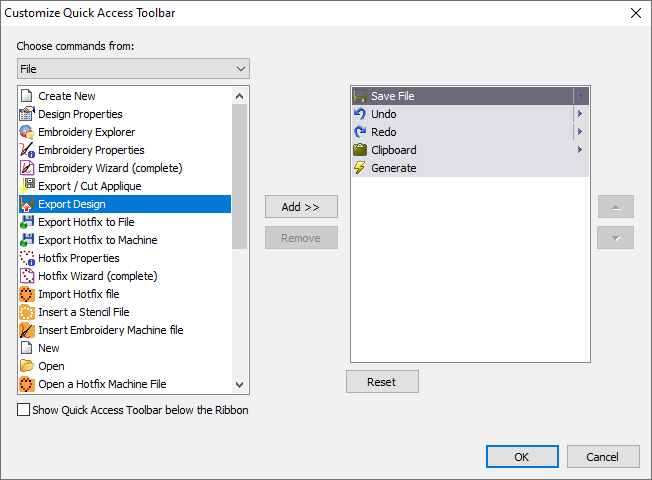
➢Click on the function you want to add to the Quick Access toolbar (on the left panel).
➢Click on the “Add” button. The function will appear on the right panel.
➢Click on the up and down arrows to change the functions order.
➢Repeat these steps for all commands you want to add.
➢Press OK to close the window. The Quick Access toolbar will be updated.