Monograms are designs with an exclusive style, generally formed by one, two or three capital letters.
You can create monogram designs or insert a monogram into an existing design.
How to add a monogram?
➢Select the EMBROIDERY ToolsTab.
➢Select the button "Monogram".
|

Method 1 (Easy, using the Monogram ToolsTab)
➢Press on “Select Template” to open a list of the available monogram styles, and select one.
|
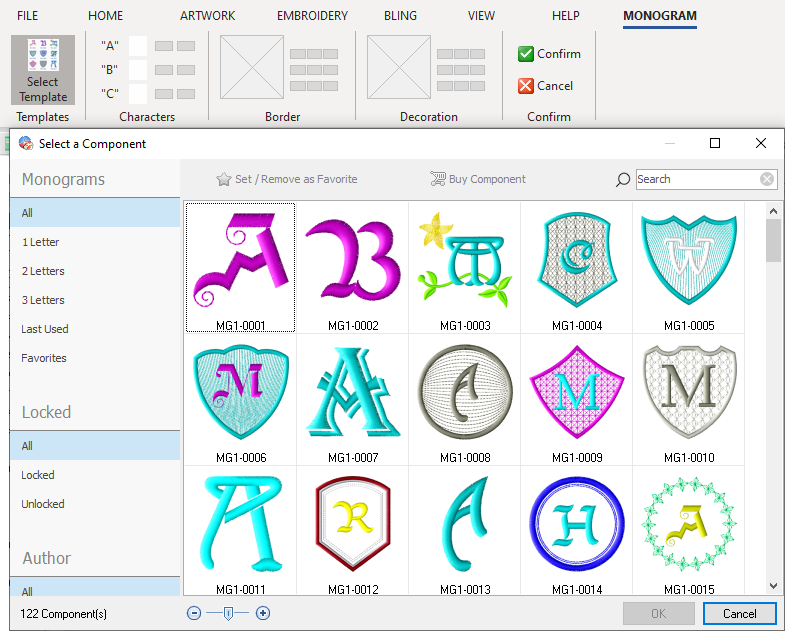
Once you have selected the monogram template, it is displayed on the workspace.
|

➢Change the characters of the monogram in the boxes "A", "B" and "C".
➢Set the characters colors.
|

➢Change the Monogram color layout from the border group.
|

➢Press on the Confirm button to confirm these settings, otherwise, press on Cancel.
Method 2 (Complete Method, using the Object Inspector)
You can enjoy a more complete monogram editing tool by using the Object Inspector.
Four tabs are displayed in the Object Inspector:
•Main
•Letter
•Border
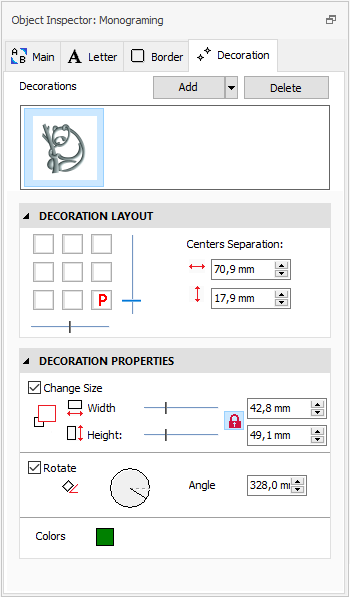
•Decoration
|
Main tab ➢Edit the monogram's main properties, such as: •Text (letters) •Order of the layers (letter, border, decoration) •Monogram style You can save the complete settings of the monogram as a new template for a later use. |
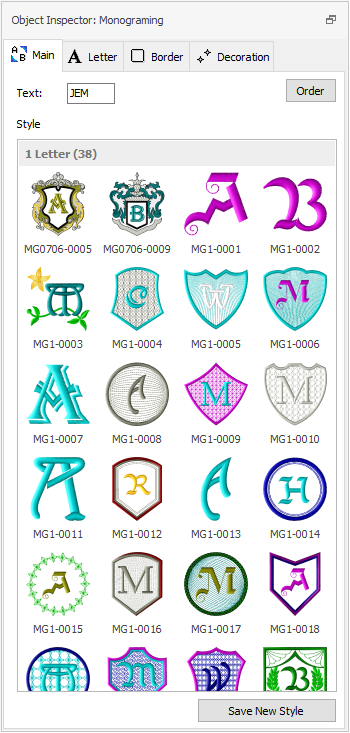
|
Letter tab ➢Edit the letters settings, such as: •Letters layout •Font Type (pre-digitized, special) •Layout Properties (size, spacing) •Colors •Individual Scale |
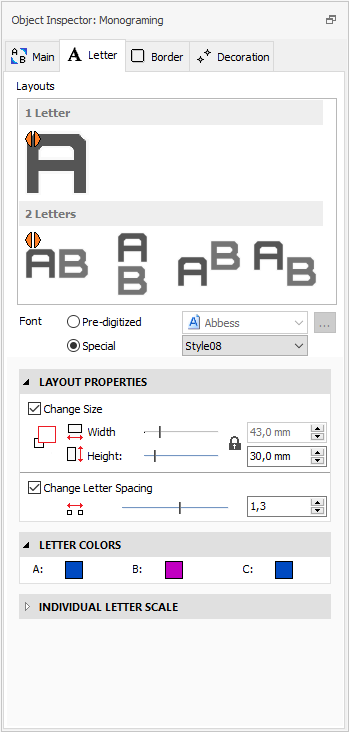
|
Border tab ➢Add or delete a border (both a DSG native file and/or predefined Motifs can be used as borders). ➢Edit the Border Properties: •Size •Offset •Rotation •Colors |
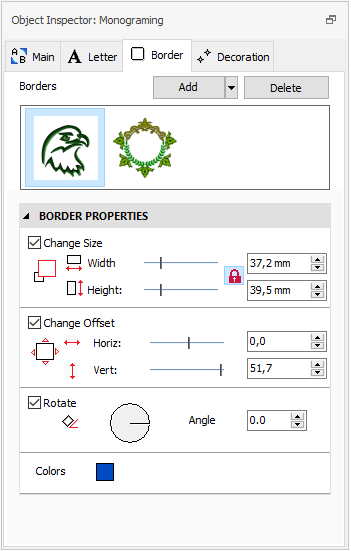
|
Decoration tab ➢Add or delete a decoration (both a DSG native file and/or predefined motifs can be used as decoration). ➢Edit the Decoration Layout: •Position •Centers Separation ➢Edit the Decoration Properties •Size •Rotation •Colors |
More functions are available in the monogram context menu:
➢Select the monogram object first
➢Press the right mouse button on it.
Functions are:
•Cut, Copy, Paste, Delete.
•Explode (convert into objects, you may then edit each properties and/or shape).
•Convert into stitches.
•Convert into vectors.
•etc.